Personal AI Lab on 8GB / EP00
Building apps with AI on an 8GB iMac. So I ordered a Mac Studio.
Notes on building apps on an 8GB M1 iMac, an Ollama Qwen experiment, external SSD trade-offs, and my Mac Studio order.
In this post
- Apps, plus a bit of hardware tinkering
- AI tools still keep the iMac busy
- Getting by with a 1TB external SSD
- I tried running Qwen in Ollama
- So, which Mac Studio did I order?
- Which local models do I want to try?
- A personal AI system, rather than one giant LLM
- What I’ll try first when it arrives
- What I haven’t measured
I’m building apps with AI.
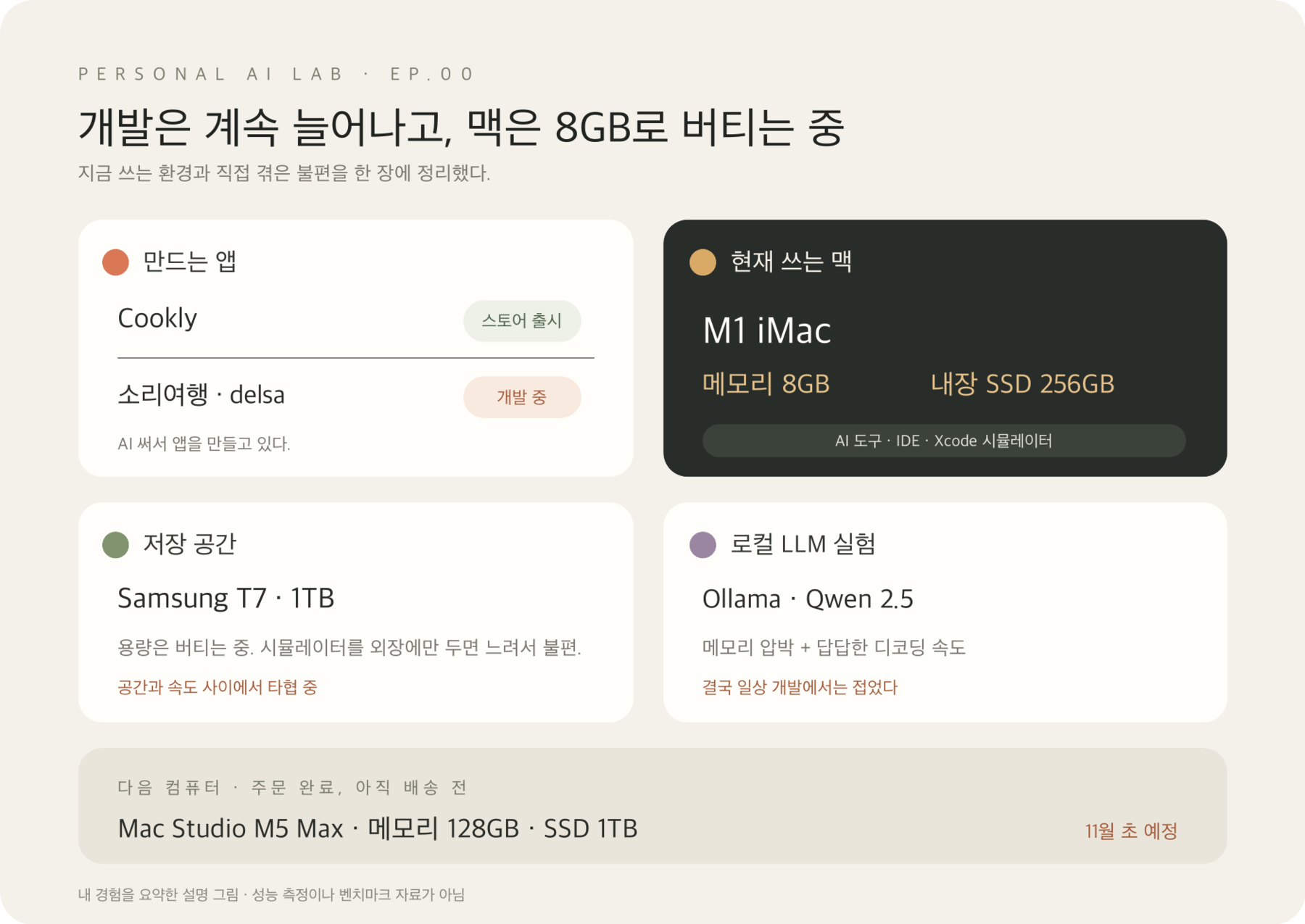
On an 8GB M1 iMac, moving between a few apps often interrupts my work. Memory is tight, and the 256GB internal SSD fills up. I’m getting by with a 1TB external SSD, but putting the simulator entirely on external storage feels too slow.
I got fed up and ordered a Mac Studio M5 Max: 128GB of memory and a 1TB SSD. Delivery is expected in early November.
Did I make the right call…?
For now, I’m collecting the messy parts of building apps, along with experiments in AI and hardware.
Apps, plus a bit of hardware tinkering
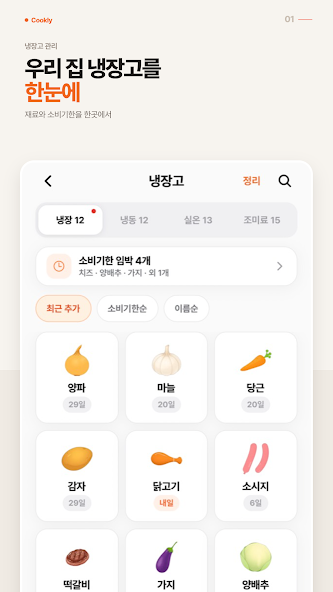
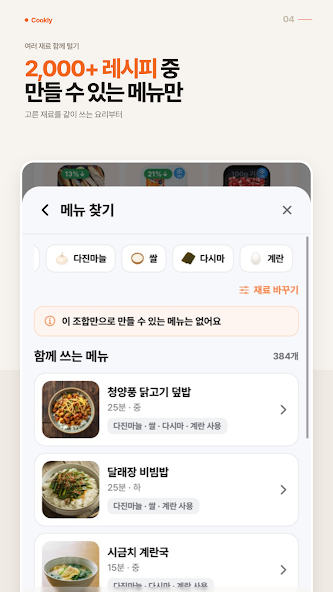
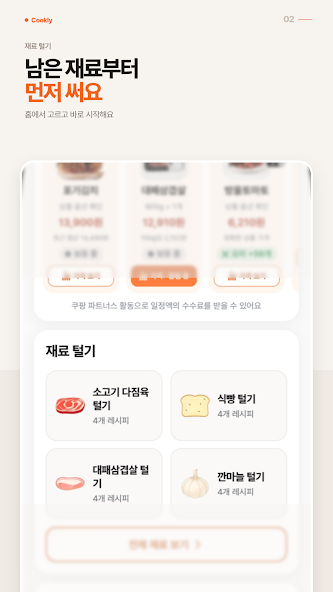
Cookly recommends recipes based on ingredients in your fridge. It’s already on the App Store and Google Play.
Words alone may not give a clear picture of the app, so here are a few screens from its Google Play listing.
I’m also working on Sound Travel (소리여행) and delsa. The names probably don’t tell you much yet. I’ll write more about what these apps do and what happens while building them in later posts.
I’m building several apps and trying different AI tools along the way. I thought I’d mostly be thinking about code. Instead, I’m also juggling memory and SSD space.
AI tools still keep the iMac busy
I use ChatGPT, Claude, Hermes, and Codex while building apps. Even when a tool sends model work to the cloud, the IDE, Xcode, and simulator still run on my Mac. With several things open and projects changing, I’ve felt memory pressure and seen swap increase. Work gets interrupted a lot.
I’ve had to restart a few times too, but I don’t have evidence that swap caused those restarts. I didn’t collect logs as it happened. All I can say for now is that these problems overlapped and my work kept getting interrupted.
Getting by with a 1TB external SSD
The internal SSD is 256GB. App projects and development tools leave little room, so I’m using a 1TB Samsung T7 external SSD.
It helps with storage, but using development tools such as the simulator entirely from the external SSD feels sluggish. Moving things out saves space but slows the workflow. I’m still trying to find a workable balance between capacity and speed.
I tried running Qwen in Ollama
The model still on my Ollama install is qwen2.5:1.5b-instruct-q4_K_S. I tried running it on the iMac. Memory pressure was an issue, and waiting for it to generate a response was frustrating. I eventually stopped using it for day-to-day development.
I didn’t record memory use or tokens per second, so I can’t give exact numbers. It simply didn’t fit my workflow. When the Mac Studio arrives, I’d like to try the same model again and see whether I can keep other development work open at the same time.
So, which Mac Studio did I order?
I ordered a Mac Studio M5 Max. Delivery is expected in early November 2026. I haven’t received it yet, so for now I’m running on expectations.
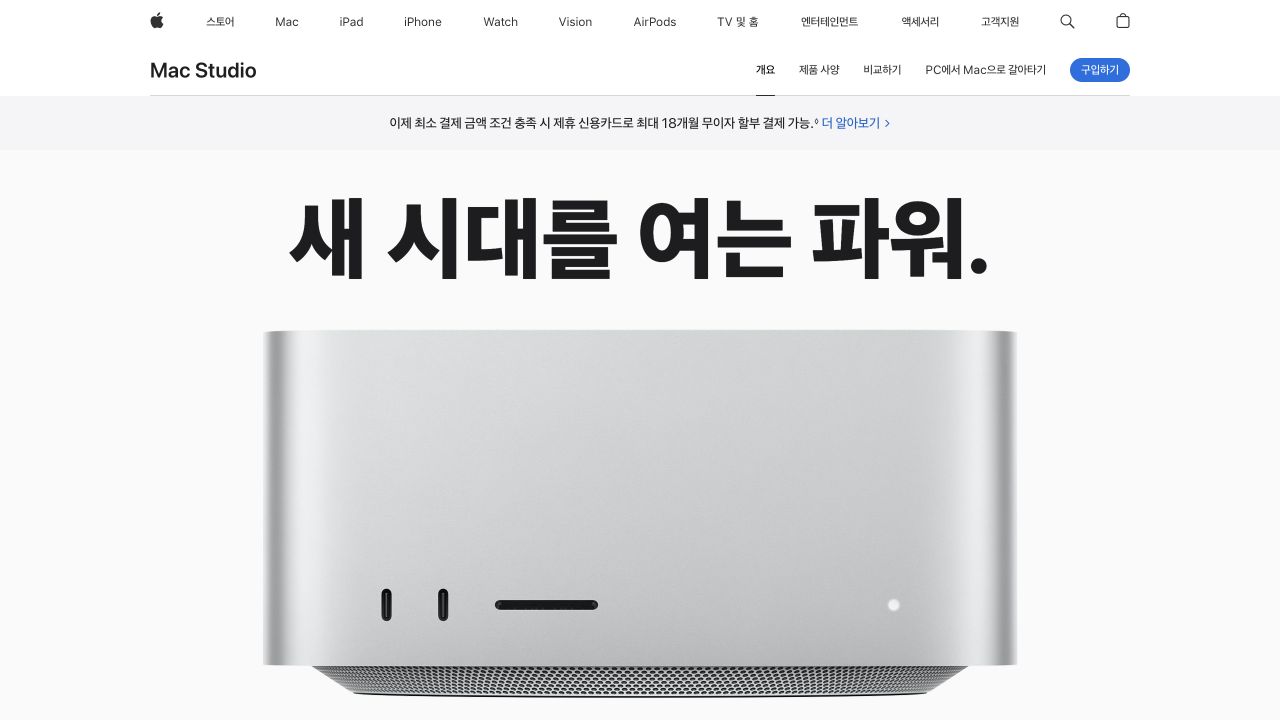
Image source: Apple Mac Studio
| Item | My configuration |
|---|---|
| Chip · CPU · GPU | M5 Max · 18-core CPU · 40-core GPU |
| Unified memory | 128GB |
| Memory bandwidth | 614GB/s (manufacturer specification) |
| Internal SSD | 1TB |
| Connectivity | Thunderbolt 5 · HDMI 2.1 · 10Gb Ethernet |
This configuration matches Apple’s specifications. Bandwidth is a manufacturer specification, not my measurement; delivery comes from my order information.
I chose 128GB to keep Xcode, the simulator, and several development environments open alongside local AI. The CPU and GPU share memory, which caught my attention, but more capacity doesn’t make every model fast. Image and speech models, and fine-tuning, are also on the list.
Memory is hard to expand later, so I invested there first. Storage can grow with external drives. Internal storage is for macOS, Xcode, active projects, caches, and frequent models; the T7 is for temporary models and development data. I’m considering a T9 for large models, datasets, video assets, and archives.
Which local models do I want to try?
Qwen3.8-Flash-Next and DeepSeek-V4-Flash-0731 are candidates for coding, reasoning, and long inputs. For everyday work I’ll start with a 20–30B model such as Qwen3.8-27B, loading larger models only when needed. I’ll recheck versions, quantized files, and memory use at installation time.
I’ll compare Apple Silicon’s MLX/mlx-lm, the general-purpose llama.cpp, and the MLX server oMLX. SSD weight streaming in ds4 (DwarfStar) and Slipstream also interests me. It differs from oMLX’s SSD KV cache. I still need to check model and file-format support, and haven’t compared them on my Mac.
A personal AI system, rather than one giant LLM
Hermes would handle conversation and memory, with Paseo for iPhone requests and progress checks. I’d try JevMLX for classification, relevance checks, and verification, then pass work beyond the local models to OpenCode Go and harder coding to Codex. I’m comparing QwenPaw, with Hermes as my first candidate.
In a small iMac proof of concept, I checked Ollama Qwen 1.5B results, then escalated to OpenCode Go and Codex CLI in controlled tests with real provider calls. I also tried QwenPaw and Paseo connections from my iPhone. A general system isn’t finished; JevMLX integration and direct Codex ACP delegation remain unverified.
I want to try ComfyUI for Cookly ad images and videos, and pattern/finished-item data for specialized models and better KnitLens images. Speech recognition, TTS, music, and Hermes blog drafts from experiment logs are also candidates.
What I’ll try first when it arrives
Once it arrives, I’ll measure load time, first response, prefill, decode, peak memory, and swap with the same model. I’ll also try long inputs, tool calls, concurrent sessions, model switching, and internal versus external SSD streaming.
What I haven’t measured
This is a record of what I experienced on my iMac. I don’t have time-series data for memory, swap, or storage, measurements of model decoding speed, or logs that explain the restarts. I can’t say that any one tool or device caused the interruptions.
At first, I only wondered how large an LLM I could fit into 128GB.
After looking into it, my thinking shifted. Combining a reasonably sized language model with image, speech, and video models—and letting an agent such as Hermes use them when needed—sounds more interesting than running one enormous model.
Of course, that’s still a plan. I don’t intend to keep every model loaded at once, but I need to find out whether my development tools and the models I need can run together. How practical is loading models from SSD? Does combining local models with the cloud actually help? I’ll have to try it.
First, the Mac Studio has to arrive.
There’s still time before the expected delivery. Until then, I’ll keep getting by on the 8GB iMac and decide what to test first.